
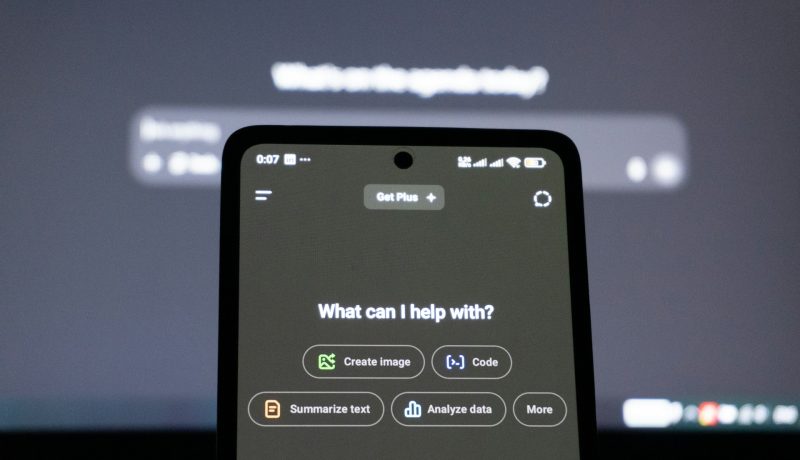
How do I use AI in my mobile?
Using AI on your mobile device can enhance your experience in many ways, from productivity to entertainment. Here’s a detailed guide on how to leverage AI features and tools on your mobile:
- Voice Assistants
- Examples: Siri (iPhone), Google Assistant (Android & iPhone), Samsung Bixby
- Usage: Activate by voice command (“Hey Siri,” “Hey Google,” “Hi Bixby”). Use for setting reminders, sending messages, getting directions, or controlling smart devices.
- AI-Powered Search & Recommendations
- Examples: Google Search, YouTube, Netflix
- Usage: Use search engines and streaming apps that utilize AI to personalize results based on your preferences and behavior.
- Photo & Video Editing
- Apps: Adobe Photoshop Express, Google Photos, Prisma, FaceApp
- AI Features: Enhance images, remove backgrounds, apply artistic filters, animate photos.
- Usage: Upload your images and use AI-powered tools to improve or modify them easily.
- AI Chatbots & Virtual Assistants
- Examples: Replika, ChatGPT apps, Bing Chat
- Usage: Chat with AI for entertainment, learning, mental health support, or brainstorming ideas.
- Language Translation
- Apps: Google Translate, Microsoft Translator
- AI Features: Real-time voice and text translation.
- Usage: Speak or type in one language and receive instant translation.
- AI in Productivity Apps
- Examples: Grammarly, Microsoft Office, Notion
- Features: Grammar correction, smart summaries, task automation, note organization.
- AI for Health & Fitness
- Apps: MyFitnessPal, Fitbit, Sleep Cycle
- AI Features: Track activity, analyze sleep patterns, suggest workouts.
- AI in Navigation & Travel
- Apps: Google Maps, Waze
- Features: Real-time traffic prediction, route optimization.
- Smart Home Control
- Apps: Google Home, Apple HomeKit, Samsung SmartThings
- Usage: Use AI to manage smart devices like lights, thermostats, security cameras.
- Downloading AI Apps & Tools
- Visit app stores (Google Play Store, Apple App Store).
- Search for AI-powered apps relevant to your needs.
- Read reviews and permissions before installing.
- Security & Privacy
- Enable biometric authentication (fingerprint, face ID).
- Use AI-based security apps for malware detection.
- Keep your OS and apps updated to benefit from the latest AI security features.
- Custom AI Models & APIs
- For developers or tech enthusiasts, leverage AI APIs (Google Cloud AI, IBM Watson, OpenAI) to build custom solutions.
- Use platforms like MIT App Inventor or Thunkable to integrate AI features into your own apps.
Last Update:
December 1, 2025




No Comment! Be the first one.